From the team that built Stellar CLI before Soroban was born.
HackMeridian 2026 · The Aha Company
01
Who we are
The Aha Company and today's speakers
02
Stellar Scaffold
App bootstrap and config: from idea to working dApp, fast
03
Stellar Registry
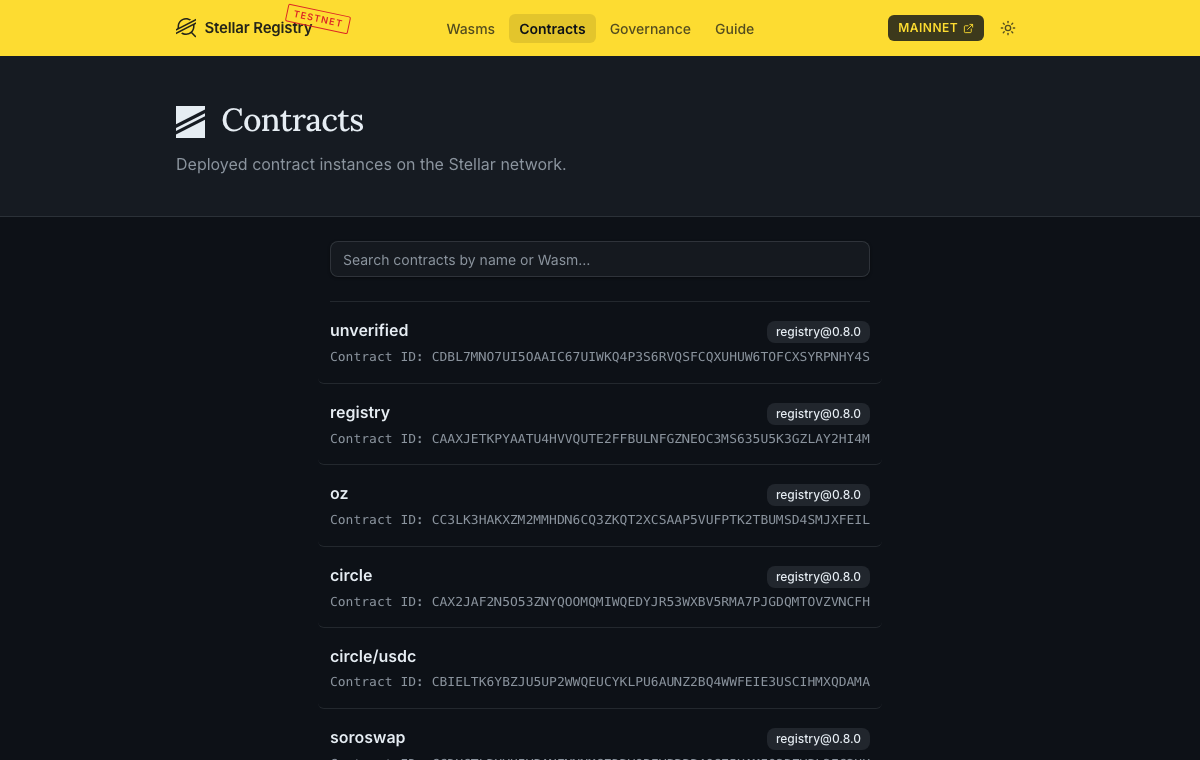
Wasm and contract publishing and discovery
04
Nido
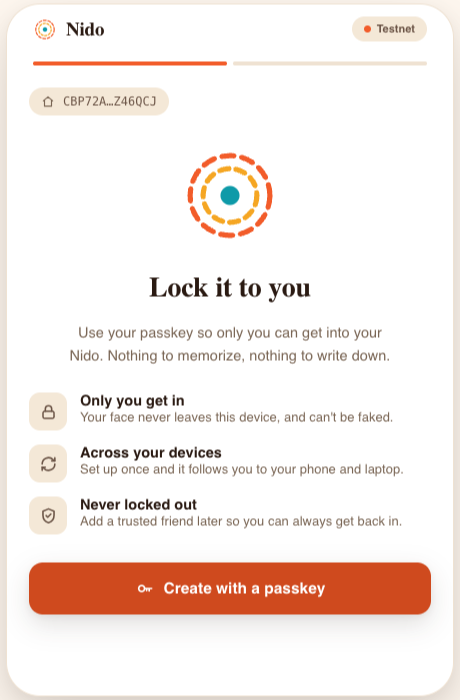
A passkey-based smart account wallet
05
Your next step
What to build next, then questions
Speakers
Who you'll hear from
Pam Selle
Principal Engineer · The Aha Company
A technologist with over a decade in software engineering and leadership.
Pam maintained Terraform Core as a Senior Software Engineer at HashiCorp, and before that
worked on web properties and cloud infrastructure at Comcast. She has long organized
events in the JavaScript and wider developer communities.
Willem Wyndham
Chief Science Officer · The Aha Company
Willem specialized in programming languages and computer security during
his PhD at the University of Maryland, then left to join NEAR Protocol as a researcher
focused on Rust and WebAssembly. As its Contract Runtime Engineer he worked deep inside
blockchain execution environments and the security challenges that come with them.
02
Stellar Scaffold
From idea to working dApp, fast.
A toolkit for full-stack Stellar apps. One command gives you Rust smart contracts,
a React, Svelte or no frontend, a local network, and typed TypeScript clients that rebuild
every time your contract changes.
The big idea
Every save rebuilds, redeploys and regenerates your typed client.
Spend HackMeridian on your app, not the plumbing.
The hackathon problem
Build Rust → Wasm
Deploy, copy the contract ID
Generate bindings, paste the ID into the frontend
Wire up a wallet and network config
…then change one function and do it all again
Three things to remember
scaffold.yml = your dependencies
Your app's contract dependencies, per network: what they are and where to get them.
Secrets and machine settings go in .env.
app-lib/clients = generated
A typed client per contract, per network, regenerated on every build and gitignored. Import by name; never paste an address.
Don't edit it: wrap clients under app/.
npm run dev = the loop
Save a contract and it rebuilds, redeploys on the local network, and regenerates its client.
App runs at localhost:5173.
Set up and start a project
cargo binstall stellar-scaffold-cli stellar-registry-cli
# no binstall? cargo install --locked (builds from source)
stellar scaffold doctor   # checks your setup
stellar scaffold init my-app   # react, svelte or none
cd my-app && npm install && npm run dev
$ stellar scaffold init my-app
Creating new Stellar project in ./my-app
? Pick a framework ›
❯ react
  svelte
  none (no frontend)
Needs Rust, Node, the Stellar CLI, and Docker. Scaffold and Registry install together as stellar plugins.
Your frontend: React, Svelte or none
Pick react, svelte or none at init. The React and Svelte templates ship wallet connect, network switching, and a
working GuessTheNumber component, all using the same generated clients: import { guessTheNumber } from "@stellar-scaffold/app-lib/clients".
Only need contracts? stellar scaffold init my-app --template none (or pick none) skips the frontend entirely: no app/, app-lib or generated clients.
In contracts/guess-the-number/src/lib.rs, next to guess():
/// Is the answer higher or lower than your guess?
pub fn hint(env: &Env, a_number: u64) -> Symbol {
    let n = Self::number(env);
    if a_number < n {
        symbol_short!("higher")
    } else if a_number > n {
        symbol_short!("lower")
    } else { symbol_short!("yes") }
}
hint() is our example, not part of the template. It reuses the template's own Self::number(env), the same helper guess() calls.
The loop · 2 of 3
Save: npm run dev does the rest
[stellar] File changed: contracts/guess-the-number/src/lib.rs
[stellar] ℹ️  Changes detected. Rebuilding...
[stellar] ℹ️  Building for network "local" (from `stellar network use`)
[stellar] ✅ Local Stellar network is healthy and running.
[stellar]    Compiling guess-the-number v0.0.2 (contracts/guess-the-number)
[stellar] ✅ Build Complete
[stellar] 🌎 Sending transaction...
[stellar] ✅ Transaction submitted successfully!
[stellar] ✅ Client "guess-the-number" updated successfully
[stellar] ✅ Successfully generated client for: guess-the-number
[stellar] ✅ Contract "nft-enumerable" is up to date
[stellar] ℹ️  Watching for changes. Press Ctrl+C to stop.
One save: the Wasm rebuilds, the changed contract is updated on the local network, and its TypeScript client is regenerated with hint in it. Contracts you didn't touch stay as they are.
The loop · 3 of 3
Use it: typed, in your frontend
In GuessTheNumber.tsx, guessTheNumber. now autocompletes hint:
A read-only call: no wallet signature needed. Same import in the Svelte template.
Add a contract
stellar scaffold generate writes the crate but does not add it to scaffold.yml; do that yourself.
stellar scaffold generate contract --ls   # list examples: stellar/…, oz/…
stellar scaffold generate contract --from oz/nft-royalties   # or --from-wizard
contracts:
  my-nft:                   # client name; exported as myNft
    type: workspace         # built from contracts/, deployed locally
    source: nft-royalties-example   # crate name in its Cargo.toml
    args:                   # constructor args, by parameter name
      uri: https://example.com/nft/
      name: My NFT
      symbol: MNFT
      admin: ${account.me}
      manager: ${account.me}
    networks:               # where your app uses this contract
      local:
Go to testnet and ship
By default Scaffold deploys only to your local network. To ship to testnet, publish and deploy with Stellar Registry, then point scaffold.yml at the deployed contract.
contracts:
  my-nft:
    networks:
      local:              # built from contracts/
      testnet:
        type: contract    # already deployed: fetch it
        source: C...      # ID from registry
Works locally, breaks on testnet? Rebuild with --network testnet and fix type errors
Find contracts to depend on at rgstry.xyz
Teach your agent: Scaffold skill at skills.stellar.org
Your contract works locally.
How do you get it onto testnet under a name,
and use other people's without copying addresses?
stellar registry publish … # under unverified/
03
Stellar Registry
Name it. Publish it. Import it.
Scaffold runs your contract locally. The registry is how it gets to testnet: publish
the Wasm, deploy it under a name, and anyone, your own app included, uses that name
instead of a C… address.
The big idea
Give your contract a name, not an address.
Ship it to testnet, and let anyone use it by that name.
Three things to remember
Wasm = published code
Reusable contract code under a name and a semantic version. Only its author can publish new versions.
unverified/guess-the-number@1.0.0
Contract = deployed instance
A live contract registered by name. The name resolves to its C… address.
No version: it's one address.
unverified/ = open to all
Anyone can publish here, no approval. Bare names on the main registry need a manager's OK.
Use this!
Ship to testnet by name
stellar keys fund me --network testnet
stellar keys use me

stellar registry publish \
  --wasm target/stellar/testnet/guess_the_number.wasm \
  --wasm-name unverified/guess-the-number --binver 1.0.0

stellar registry deploy \
  --contract-name unverified/guess-the-number \
  --wasm-name unverified/guess-the-number --version 1.0.0 \
  -- --admin me                        # constructor args after --

stellar registry fetch-contract-id unverified/guess-the-number   # C… for scaffold.yml
The Wasm is what stellar scaffold build --compile-only wrote with
STELLAR_NETWORK=testnet. Add --dry-run to preview any write.
How names are organised
One root registry, many sub-registries
registry          root: bare names, manager-approved
├── unverified/   open to anyone: use this!
├── oz/           OpenZeppelin Wasms, ready to deploy
├── circle/       circle/usdc
├── soroswap/     soroswap/router, soroswap/factory
├── blend/        blend/pool-factory-v2, …
└── defindex/     defindex/xlm-vault, …
A sub-registry is its own registry contract with its own rules, registered
by name in the root. Names read <sub-registry>/<name>.
Sub-registries group related contracts under one prefix, like
soroswap/router and soroswap/factory.
30+ pre-built combinations of OpenZeppelin Stellar Contracts, on testnet and
mainnet: ft-standard, ft-capped, ft-pausable,
ft-allowlist, ft-votes, ft-vault,
nft-standard, nft-royalties, nft-enumerable, …
Your name, their Wasm: deploy into unverified/ from any sub-registry. Want to edit the source instead? stellar scaffold generate contract --from oz/…
Point scaffold.yml at it
Today works now
contracts:
  guess-the-number:
    networks:
      local:              # built from contracts/
      testnet:
        type: contract    # already deployed: fetch it
        source: C...      # from fetch-contract-id
By name coming soon
contracts:
  guess-the-number:
    networks:
      local:              # built from contracts/
      testnet:
        type: registry    # resolve the name
        source: unverified/guess-the-number
Tracked in stellar-scaffold/cli#617.
Then stellar scaffold build --network testnet regenerates the typed
guessTheNumber client against testnet. Same for anyone else's contract.
Case study
guess-the-number, local to testnet
01. Context: it works locally with Scaffold; putting it on testnet under a name is the registry's job.
02. Decision: publish the Wasm and deploy it as unverified/guess-the-number.
03. Result: testnet has a named contract, scaffold.yml points at it, and the app gets a typed client.
Call any named contract from Rust
You already have: guess-the-number pays out with
stellar_registry::import_asset!("xlm").
let game = stellar_registry::import_contract!(
    env, "unverified/guess-the-number");   // typed client, no address in source

let won = game.guess(&5, &player);
STELLAR_NETWORK=testnet stellar scaffold build # names resolve at build time
Defaults to local, and switching networks rebuilds automatically. Assets like xlm resolve at runtime, so one Wasm works on any network. Contract names resolve at build time: after a redeploy, cargo clean and rebuild.
Key takeaways
What to take away
1
Name it.Publish under unverified/. Anyone can, with no approval.
2
Ship it.Publish and deploy with the registry: that's how you reach testnet.
3
Use it.Point scaffold.yml or import_contract! at a name, never a copied address.
Registry survival kit
Auth failure on publish? You used a bare name. Add unverified/
Error(Contract, #5): that contract name is taken. #8: publish a higher --binver
Macro can't find a contract? STELLAR_NETWORK wasn't set at build time
deploy … -- --help prints the constructor's arguments
Teach your agent: Registry skill at skills.stellar.org
04
Nido
Passkey accounts for your app
Nido with Scaffold Stellar: what Nido does, then how to Nido.
New to Stellar?
Stellar has two kinds of accounts
G-address · starts with G GBO4H3WFMTNWZU5SJJSXXOW2ML26TEIQOY66MF2SYANVWAI4JY4YEIJP
C-address · starts with C CCH2FDKHAMKNT33JCF6NOOUDKZNFIKVOM2P5PMDI7D456LLI6VZSO732
What it is
An account with keys
A contract
Who can sign
One key, or up to 20 with weights and thresholds
Whatever its code allows: passkeys, a G-address, an app’s session key
What it can limit
How many signatures an action needs
Which contracts, how much, until when
Typical wallet
Extension and seed phrase
Nido: nothing to install
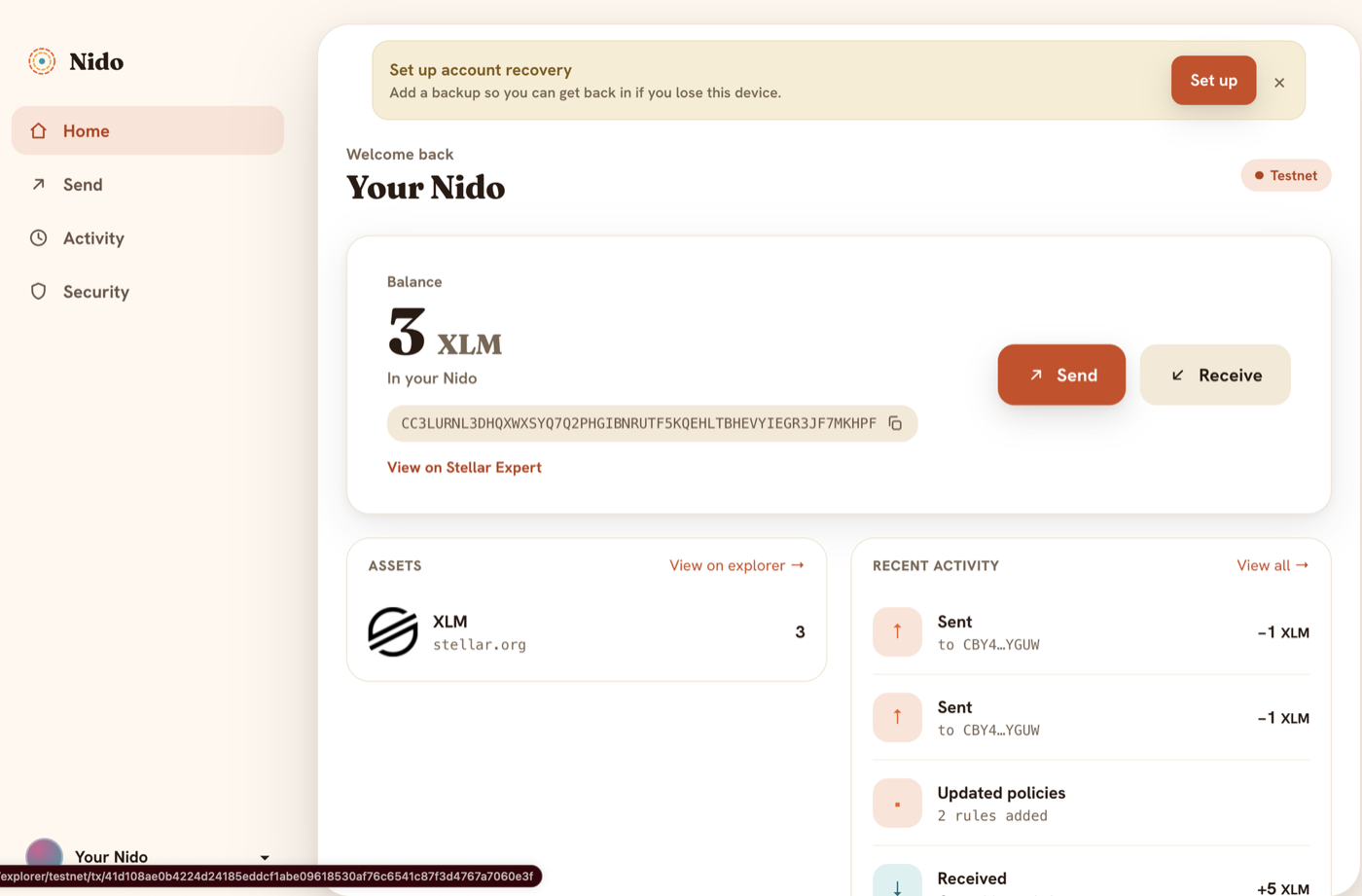
Nido gives each of your users a C-address.
The old way vs with Nido
Getting in
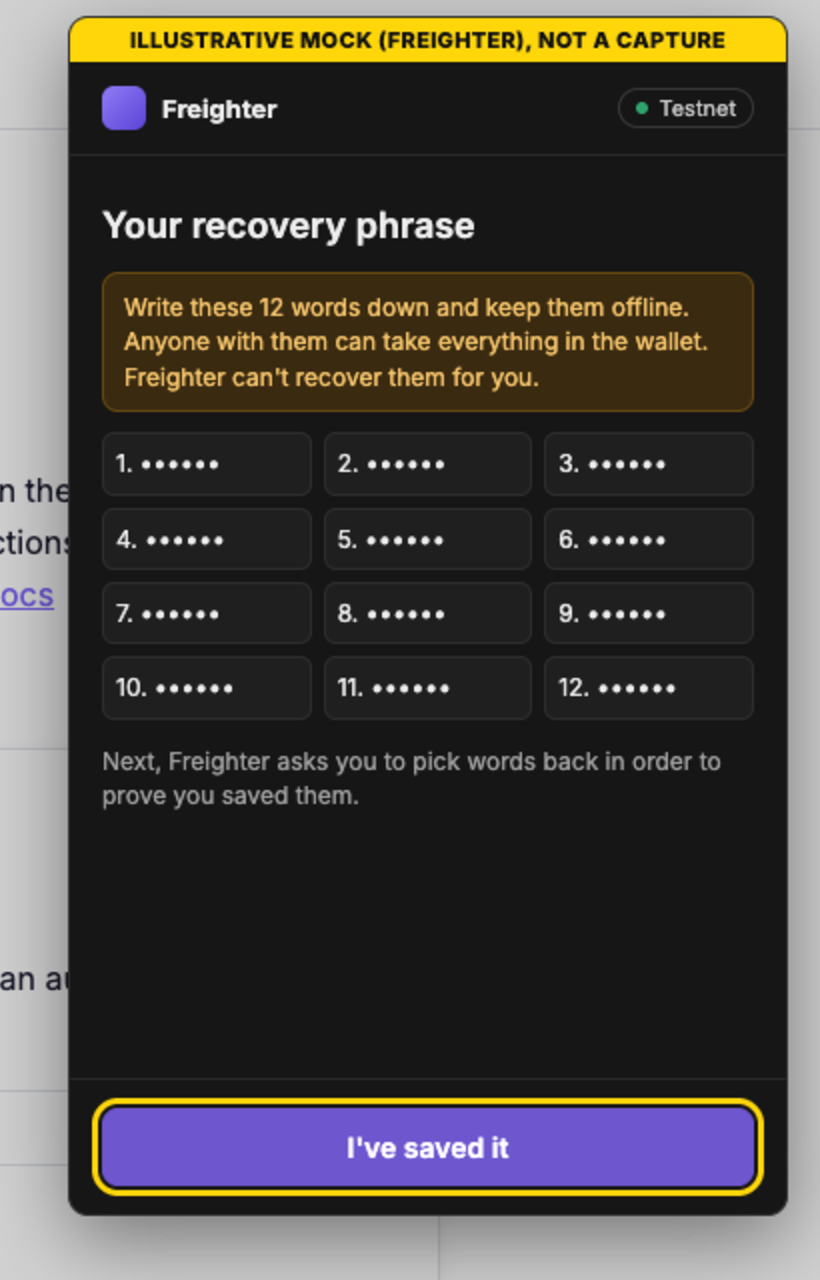
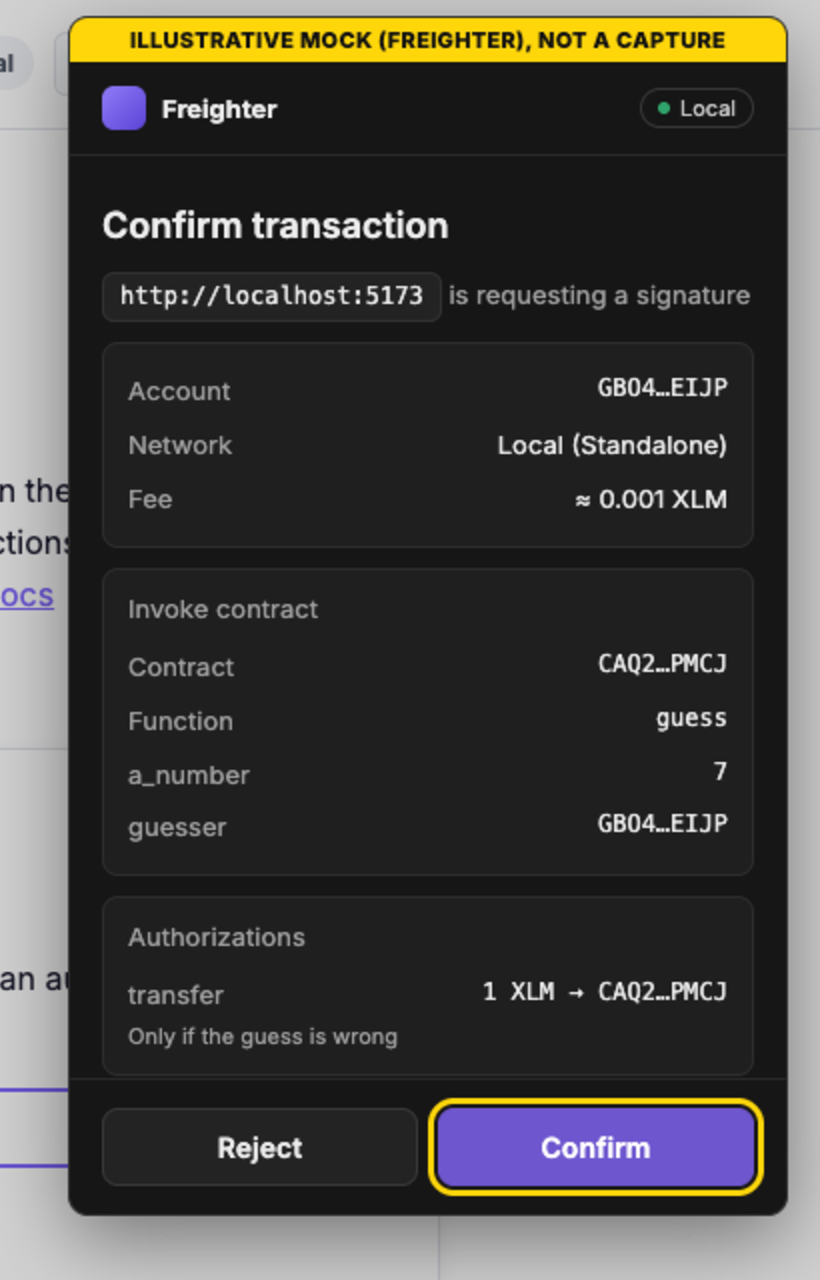
Freighter screen: illustrative mock from the template walkthrough
The old way: a wallet extension
Install an extension
Create a password
Write down 12 words
Switch the network
Fund the account
With Nido: one passkey
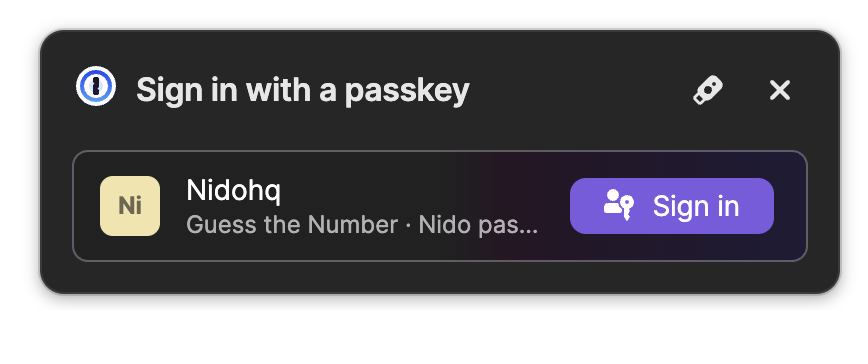
Face ID or a fingerprint
Nothing to write down
Nothing to install
Or any key type, e.g. post-quantum
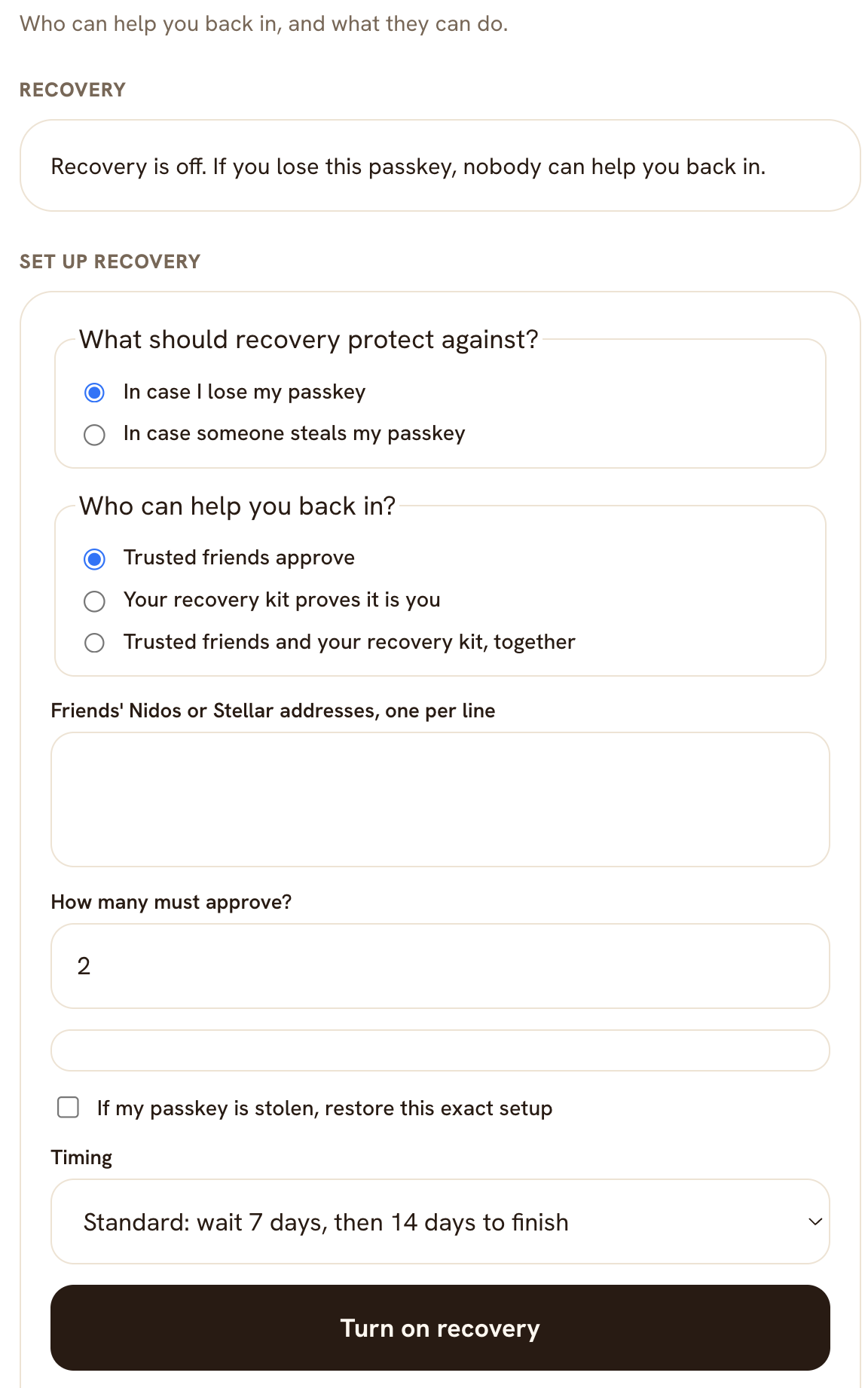
Recovery: add a trusted friend to get back in
Never locked out
Recovery
Off by default. Turn it on and choose:
Protect against
A lost passkey, or a stolen one
Who helps
Trusted friends, your recovery kit, or both
How many
Friends who must approve
Timing
Standard: wait 7 days, then 14 days to finish
The old way vs with Nido
Approve once, then no redirects
Freighter screen: illustrative mock from the template walkthrough
The old way: every signature goes to the wallet
1
trip to the wallet per guess, to read and confirm
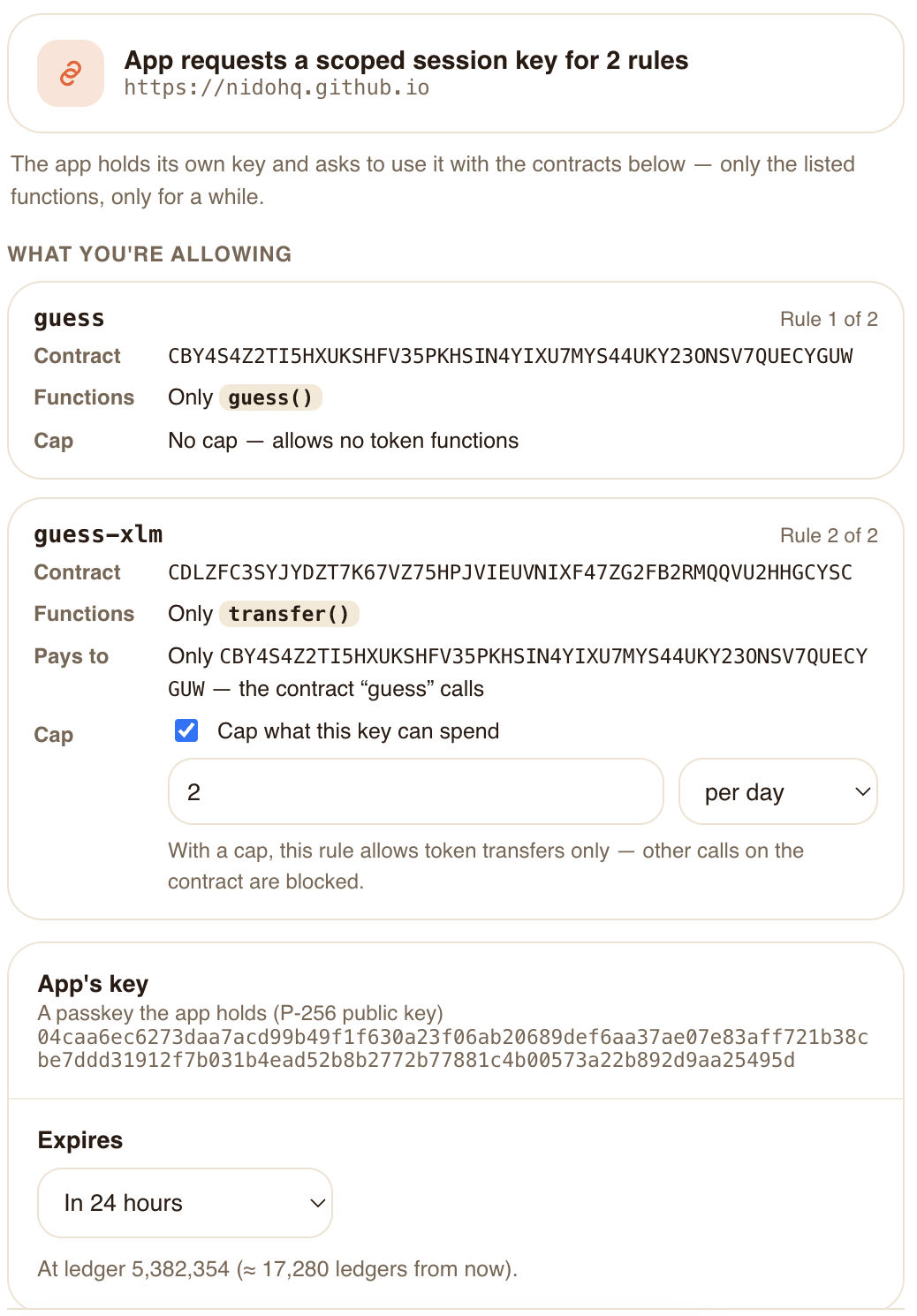
With Nido: approve the app once
0
redirects per guess after that: the app’s session key signs
Approve in Nido · 1 passkey tapGuessGuessGuess …
The old way vs with Nido
Limits
The old way: no limit
The wallet signs whatever the user confirms. The only protection is reading every popup.
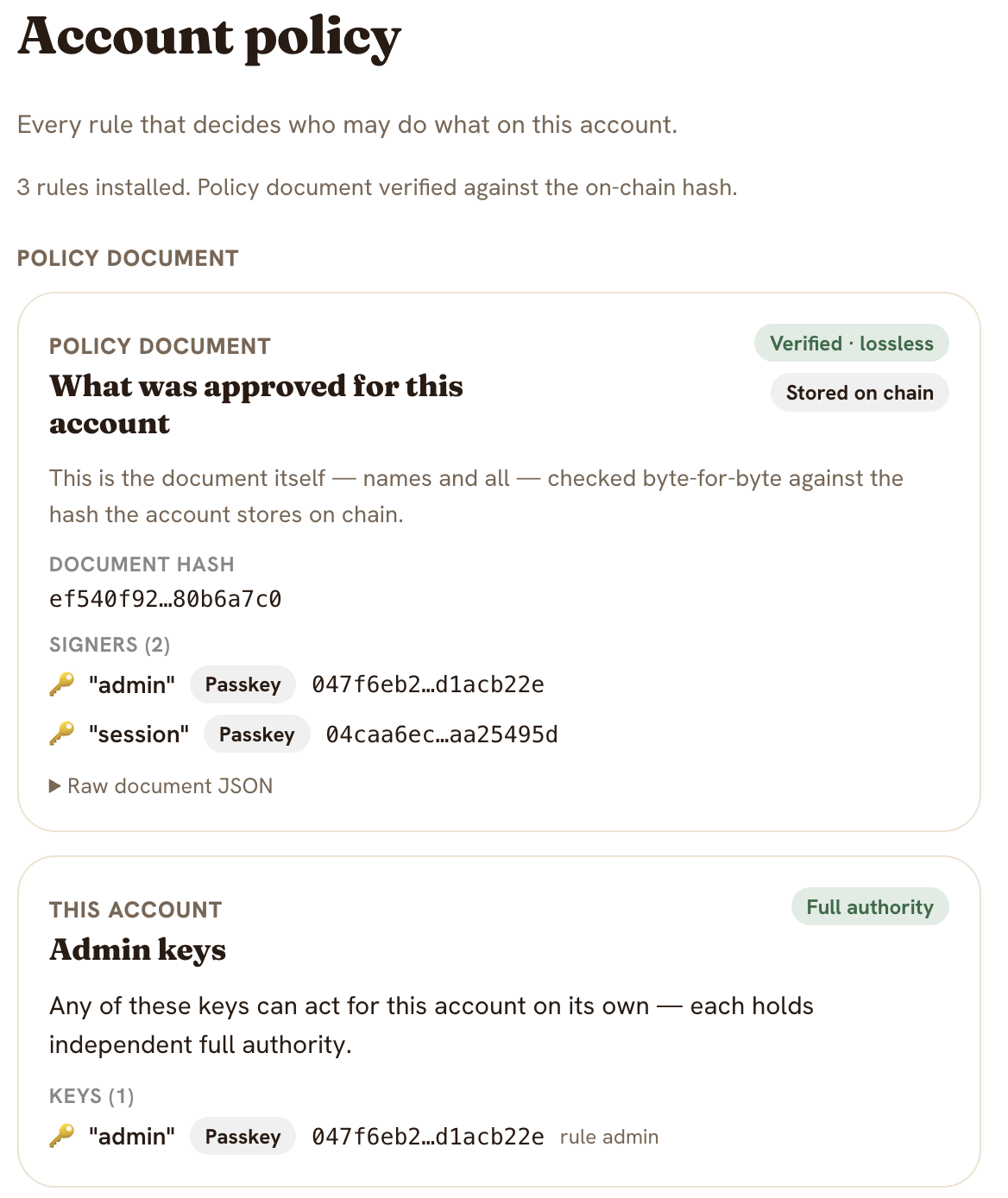
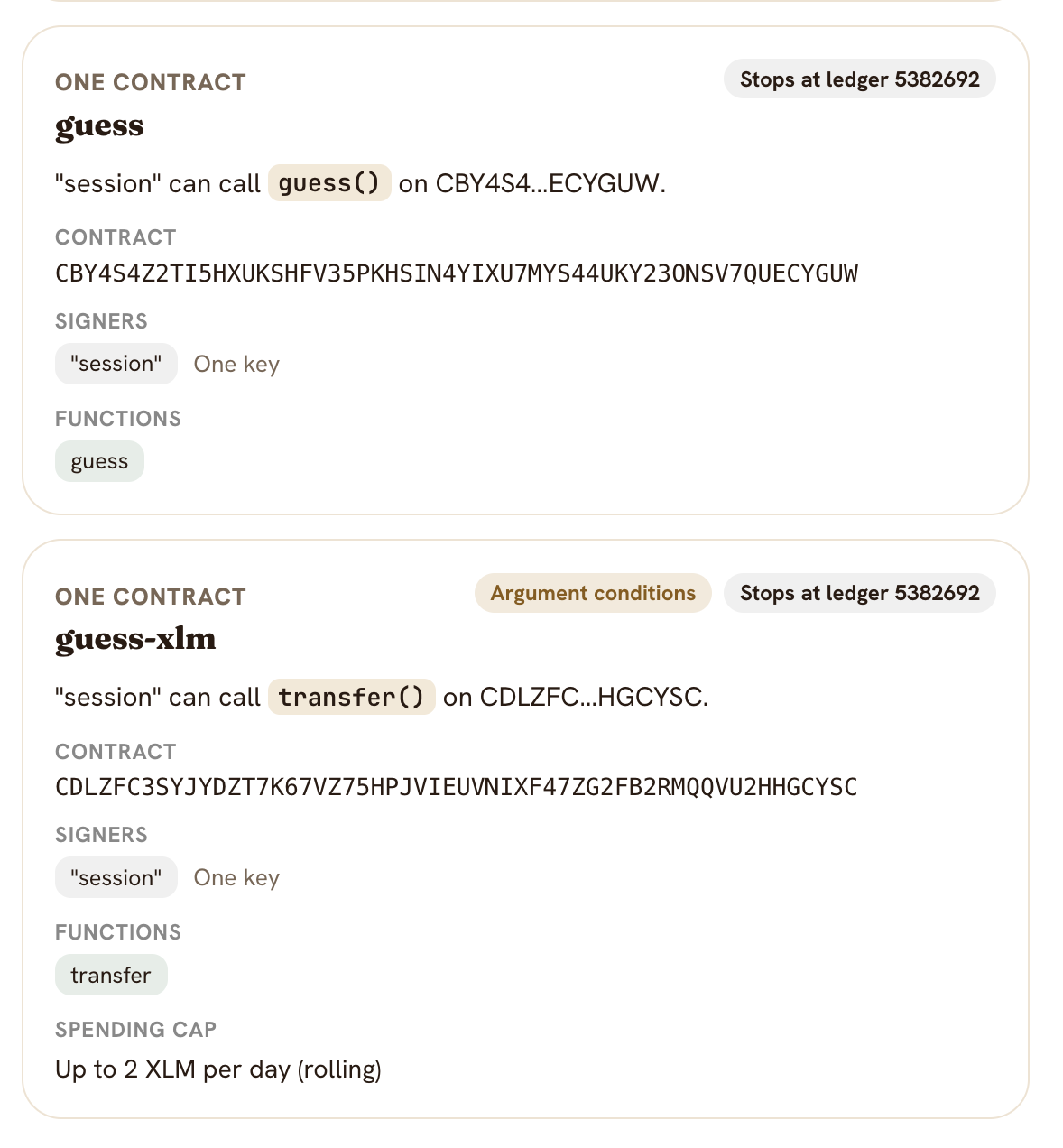
With Nido: a scoped key with a cap
The user approves a key for your app, and sets how much it can spend.
Spending cap
An amount per day, week or month
Expiry
The key stops working after it
Enforced by
The account, on chain
A call over the cap is refused before anything is sent.
Summary
What Nido gives you
Built on OpenZeppelin’s Smart Account and Relayer foundations.
For your users
1
No extension, no seed phrase
2
Approve an app once
3
Every approval has a cap and an expiry
For your app
1
Users signed in within a minute
2
Calls without having to use the main wallet
3
Limits enforced by the account, not your code
Part 2
How to Nido
The same Scaffold React app and Guess the Number sample. Three diffs.
stellar scaffold init my-app \
    --template nidohq/scaffold-template
npm run tools:scaffold && npm ci && npm run doctor
npm run clients:testnet && npm run dev
1 · Imports 2 · Ask for access 3 · Call for the user
Diff 1 of 3 · vs the React template
Imports
app/src/components/GuessTheNumber.tsx
+import {
+  describe, isOverCap, submitCall,
+  xlmTokenId, type Grant,
+} from "@stellar-scaffold/app-lib"
 import { guessTheNumber } from
   "@stellar-scaffold/app-lib/clients"
 import { useState } from "react"
 import { useWallet } from "../hooks/useWallet"
+import { SessionGate } from "./SessionGate"
submitCall Sends a call for any wallet
Grant, SessionGate What the app asks the user for
xlmTokenId The token to put a cap on
describe, isOverCap Refusals as sentences
Nido’s wallet module is already in app-lib/wallet.ts. You don’t touch it.
Diff 2 of 3 · vs the React template
Connect, then ask for access
Connect · unchanged
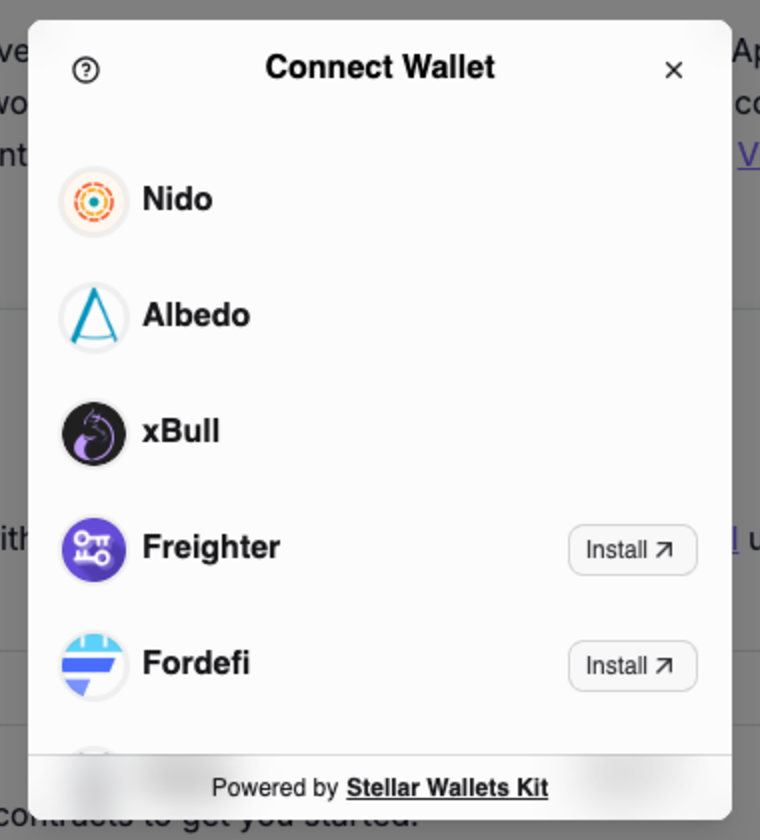
Same connectWallet(). Nido is first in the picker.